Your first report
1. Run it
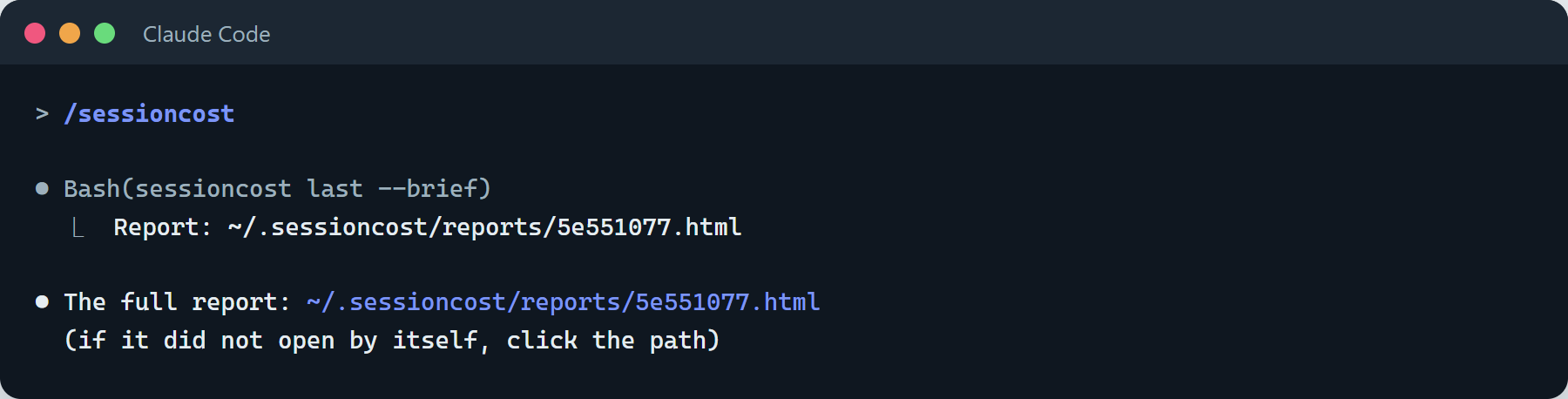
Section titled “1. Run it”In the chat you want to look at, type /sessioncost. The agent answers with one line: the report’s link. The report
opens in your browser.
Why only one line? Anything written into the chat is sent again with every later message, so a long summary there would cost you on every turn. All the numbers are in the report. If you do want them in the chat, ask for the summary.
2. Read the top: the answer first
Section titled “2. Read the top: the answer first”The report starts with the answer: how much this chat sent, how much it would have sent with the fixes, and the three biggest fixes.
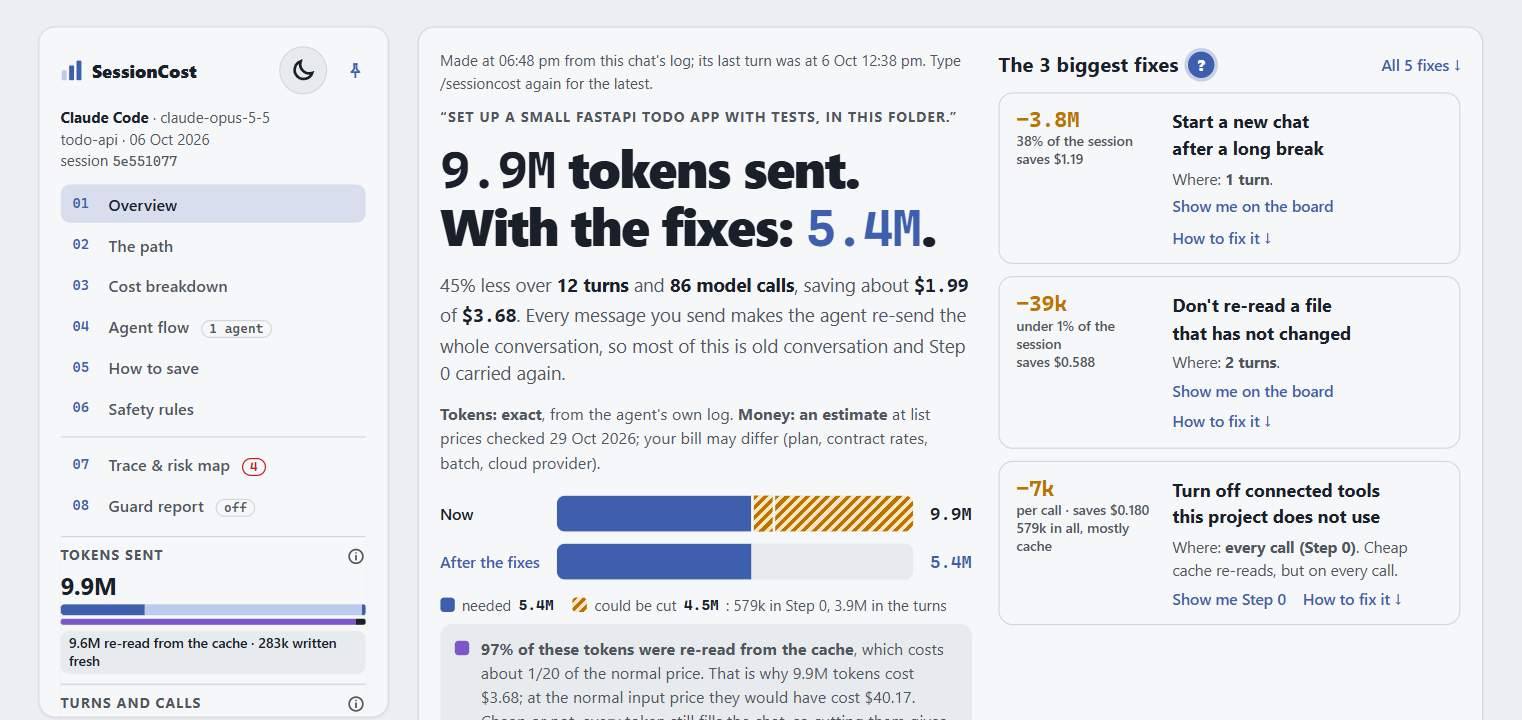
Under the numbers, one line says what is exact: Tokens: exact, from the agent’s own log. Money: an estimate at
list prices; your bill may differ (plan, contract rates, batch, cloud provider). Above them, the report says when it
was made: a saved report does not update itself, so type /sessioncost again for the latest.
If you read nothing else, read The biggest fixes. Each one names its saving.
3. Find the heavy turn
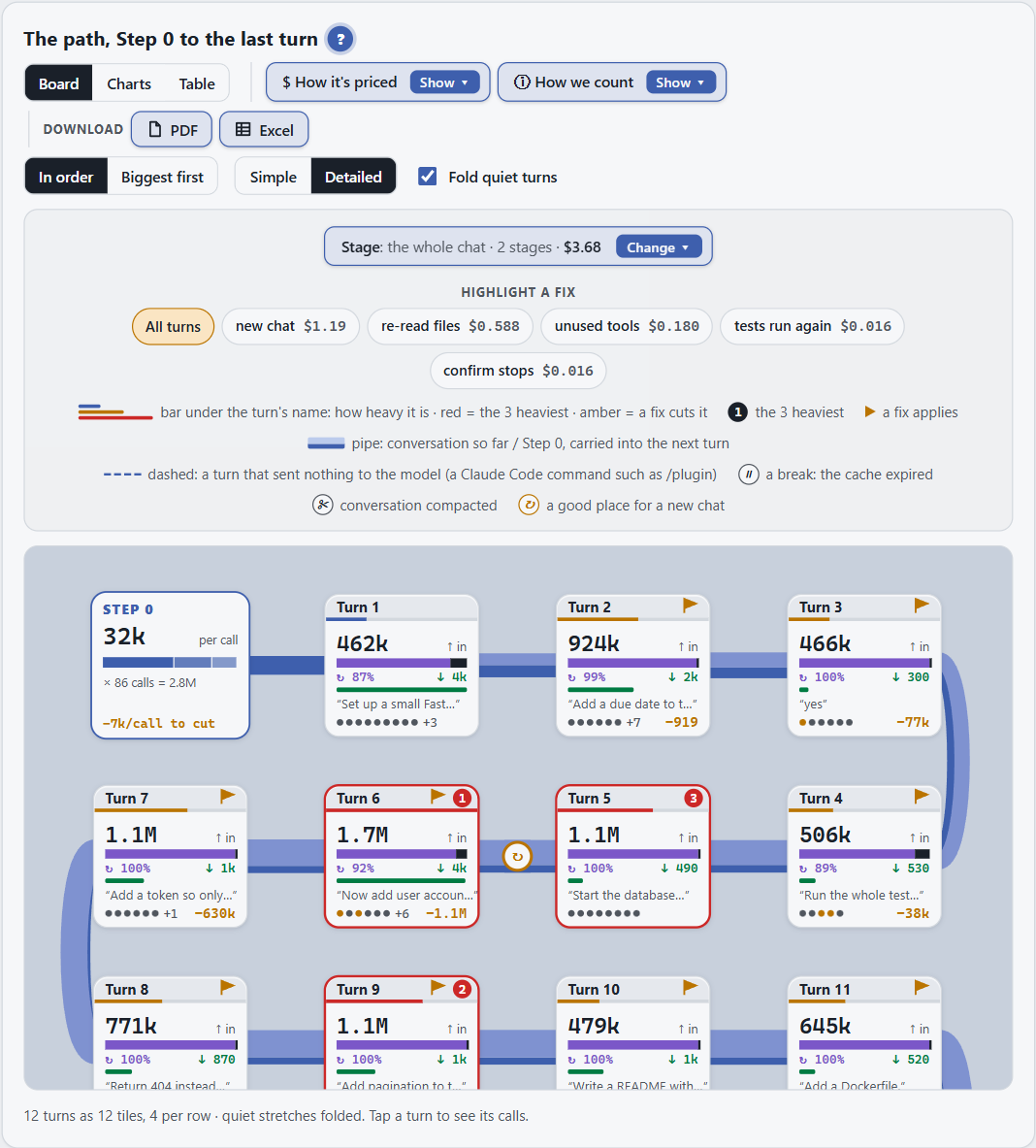
Section titled “3. Find the heavy turn”Below that is the path: one tile for each turn, from Step 0 to the last. Red shows how heavy a turn is. Tap the heaviest one: the turn panel opens and shows what you said, what the agent did, and where the money went.
4. Paste a fix
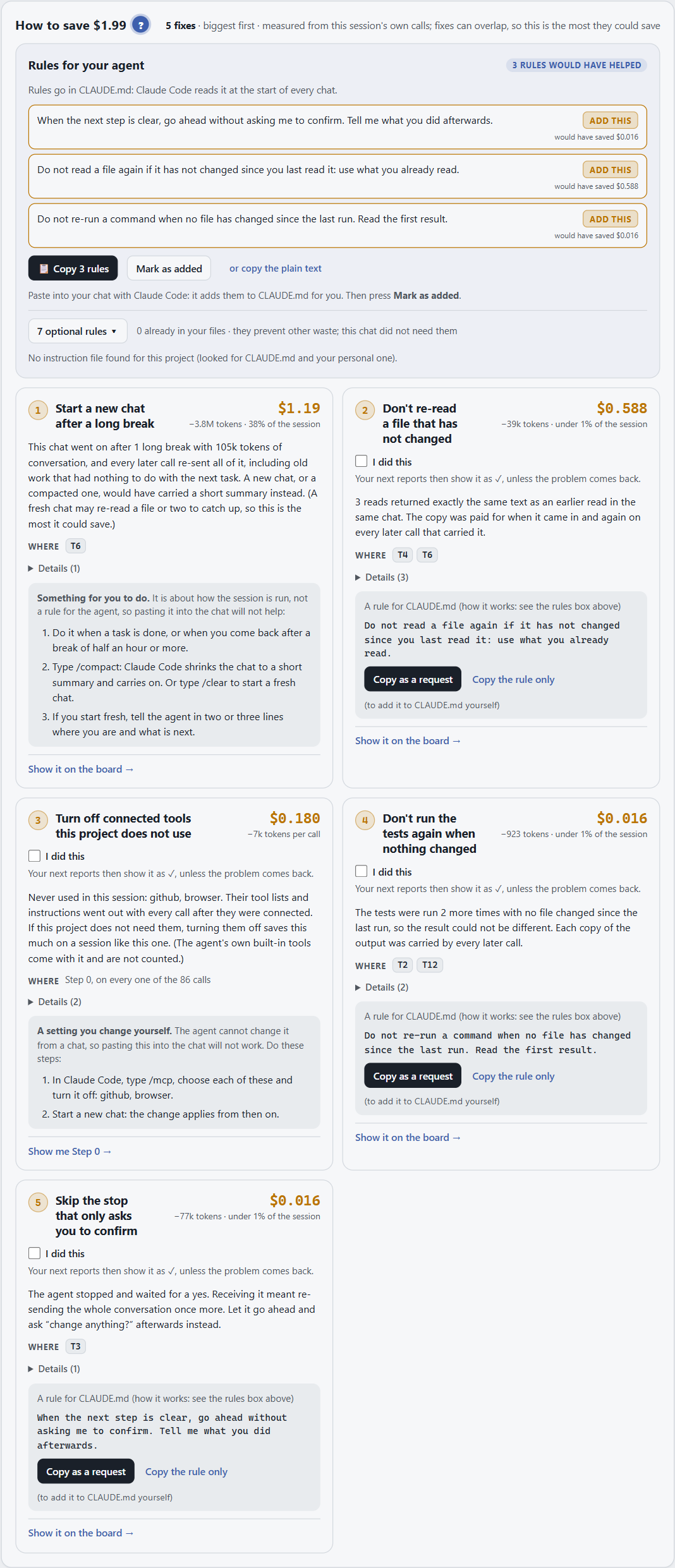
Section titled “4. Paste a fix”Open How to save. Each fix has its saving and a rule to paste to your agent, for example into CLAUDE.md or
AGENTS.md. Tick I did this and the report stops repeating it.
5. Next time
Section titled “5. Next time”Run /sessioncost again at the end of your next chat and compare. Old reports pile up; /sessioncost clean deletes
them and keeps the latest.
Want every section explained? The report at a glance.