See where every token of your AI chat went
Why is my chat so expensive?
Section titled “Why is my chat so expensive?”Because every message you send makes the agent send the whole chat again. Your first message is small. By the twentieth, the agent is sending its own instructions, its tools, and all nineteen turns before it, every time, and you pay for all of it.
You cannot see this from inside the chat. SessionCost can: it reads your agent’s own log on your computer and shows every turn on one path, what each one sent, and what it cost.
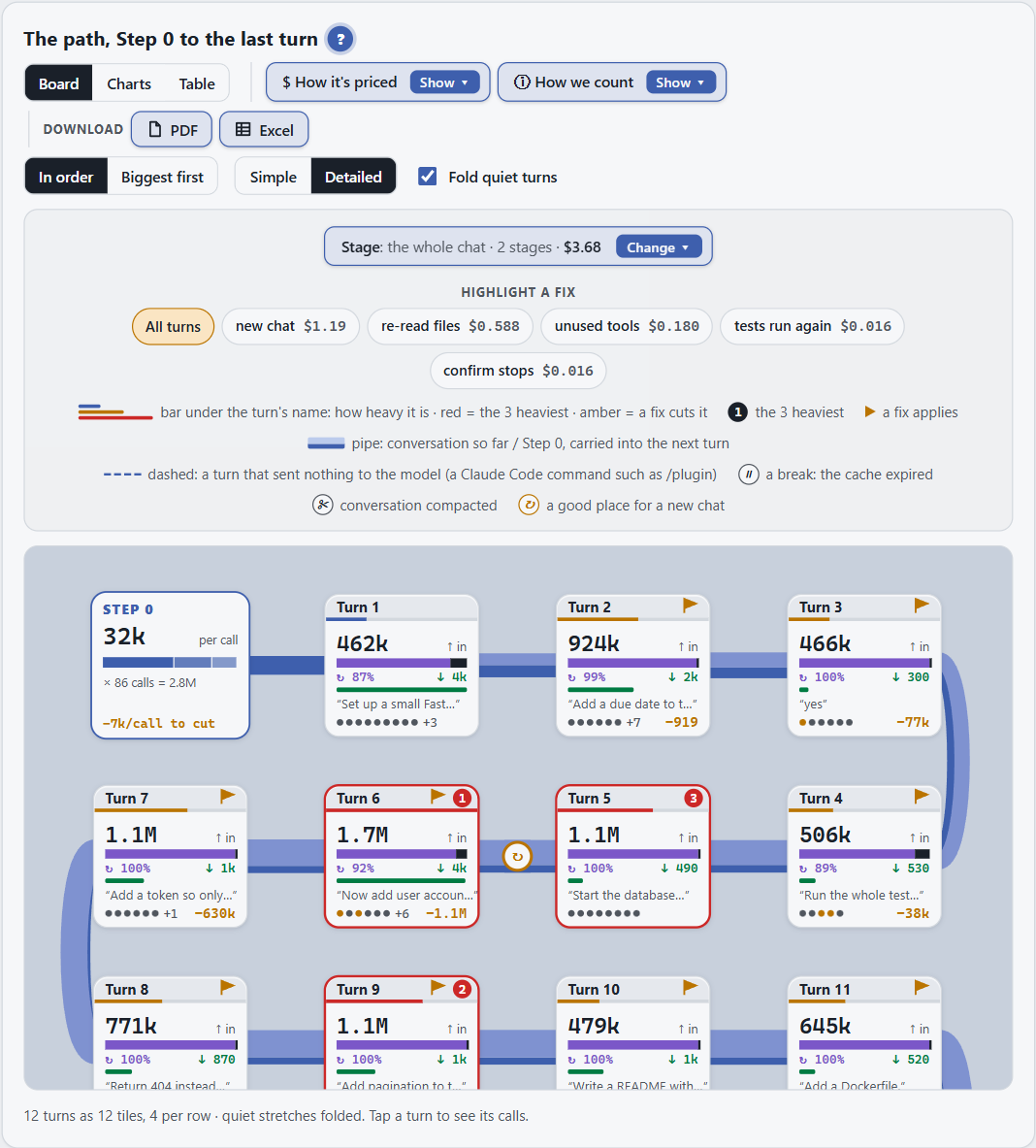
What you get
Section titled “What you get”- The answer first. How much the chat sent, and how much it would have sent with the fixes.
- The heavy turns. Tap any turn to see what you asked, what the agent did, and where the money went.
- Fixes you can paste. Each one with its saving, measured from your own chat, and a rule to give your agent.
- A guard, if you want one. It checks each step the agent is about to take, and stops the dangerous ones. Why you need the guard.
It works with Claude Code, Codex, Cursor, Antigravity and GitHub Copilot. No AI model is called, and nothing is sent anywhere.
Find your starting point
Section titled “Find your starting point”You have not installed it yet. Install SessionCost takes about a minute.
You want to see a report before installing. Take the report tour: two minutes, each part highlighted in turn.
You just ran /sessioncost and the report is open. Your first report
walks through it in five minutes.
One turn cost far more than the rest. The turn panel shows what happened inside it.
The chat was expensive before you typed anything. That is Step 0: the rules, tools and skills the agent sends with every message.
You want the agent stopped before it does something risky. Why you need the guard.
You have a specific task in mind. Step-by-step scenarios: tokens and cost for developers, and security for audits, prevention and evidence.
Something does not work. Fix a problem.
▶ Prefer a video? Watch the 1-minute tour on YouTube.